CASE STUDY / SARJ
The Interface Grows With the Jar
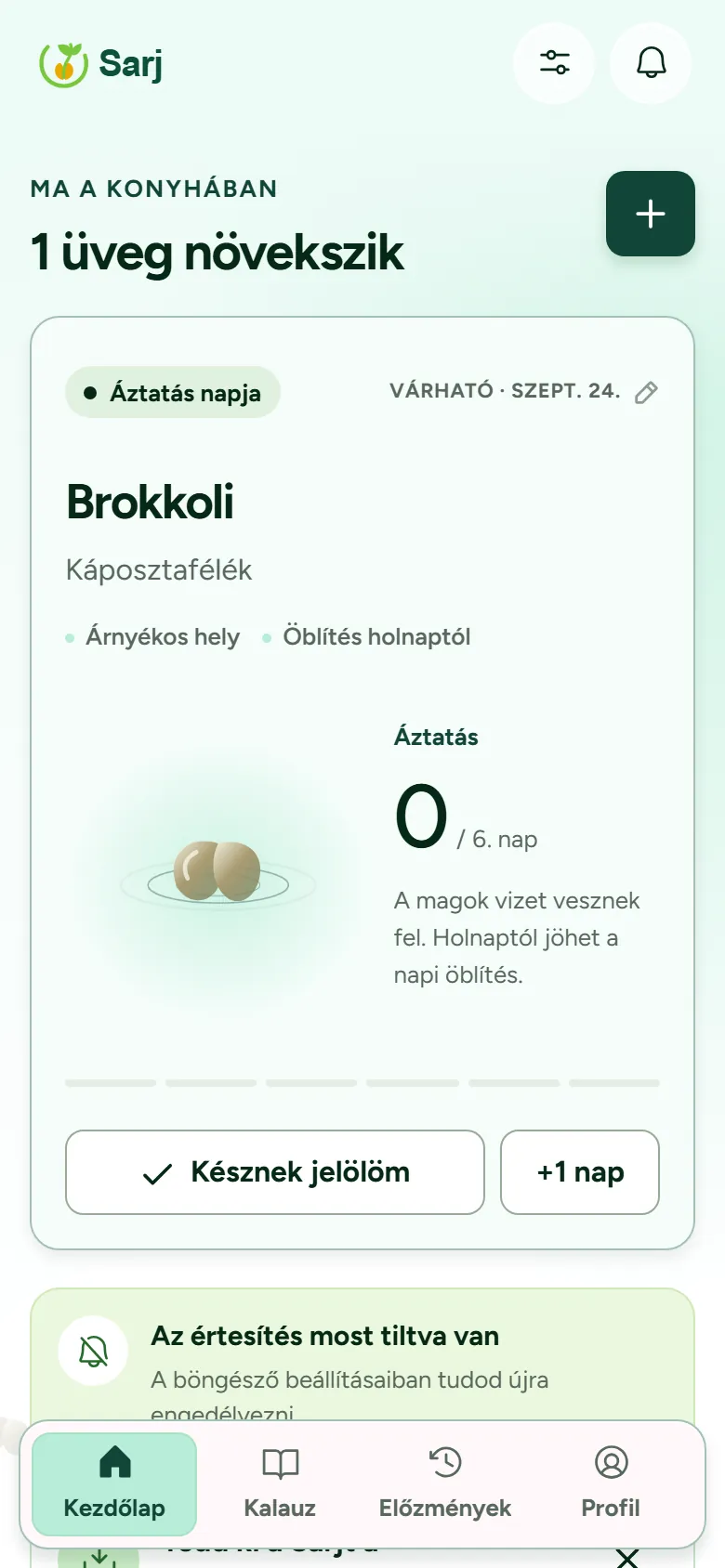
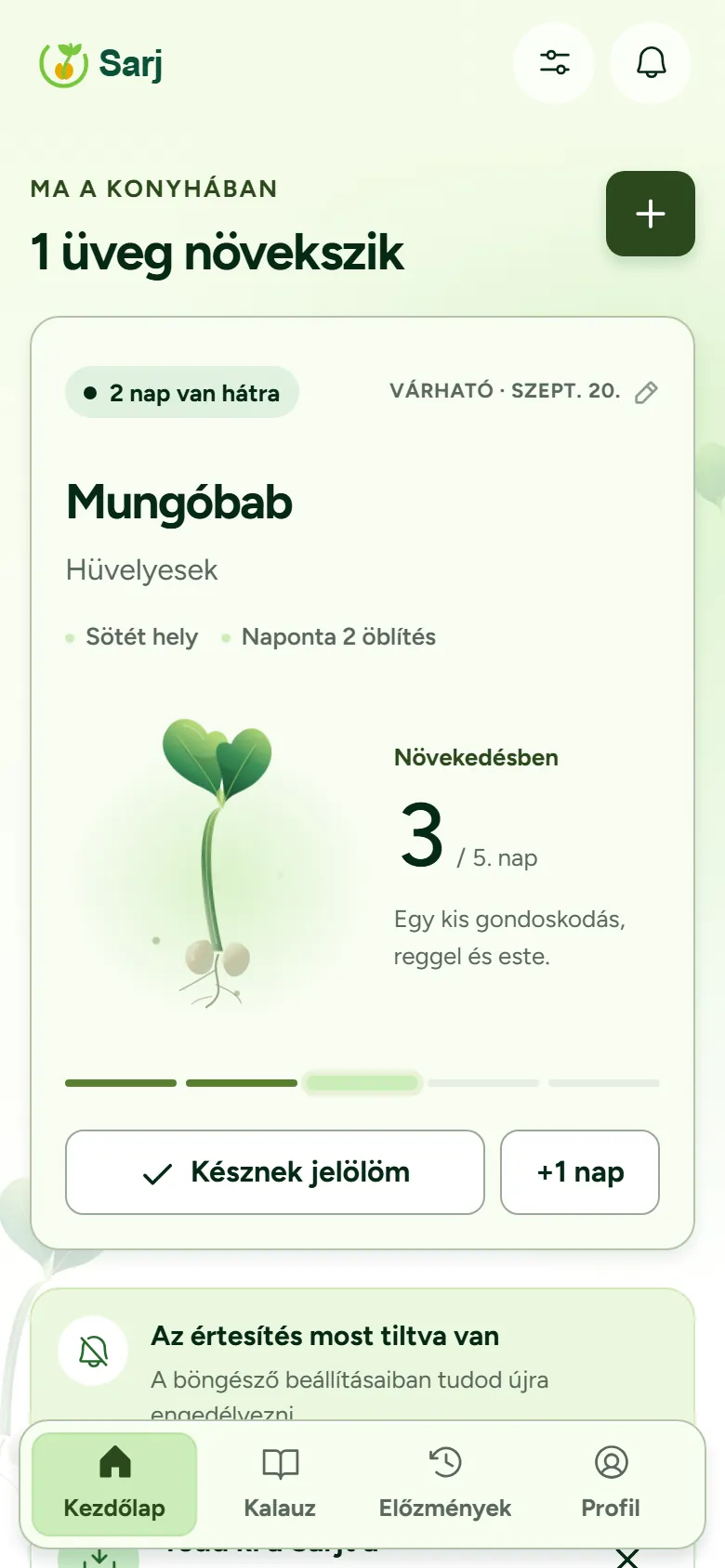
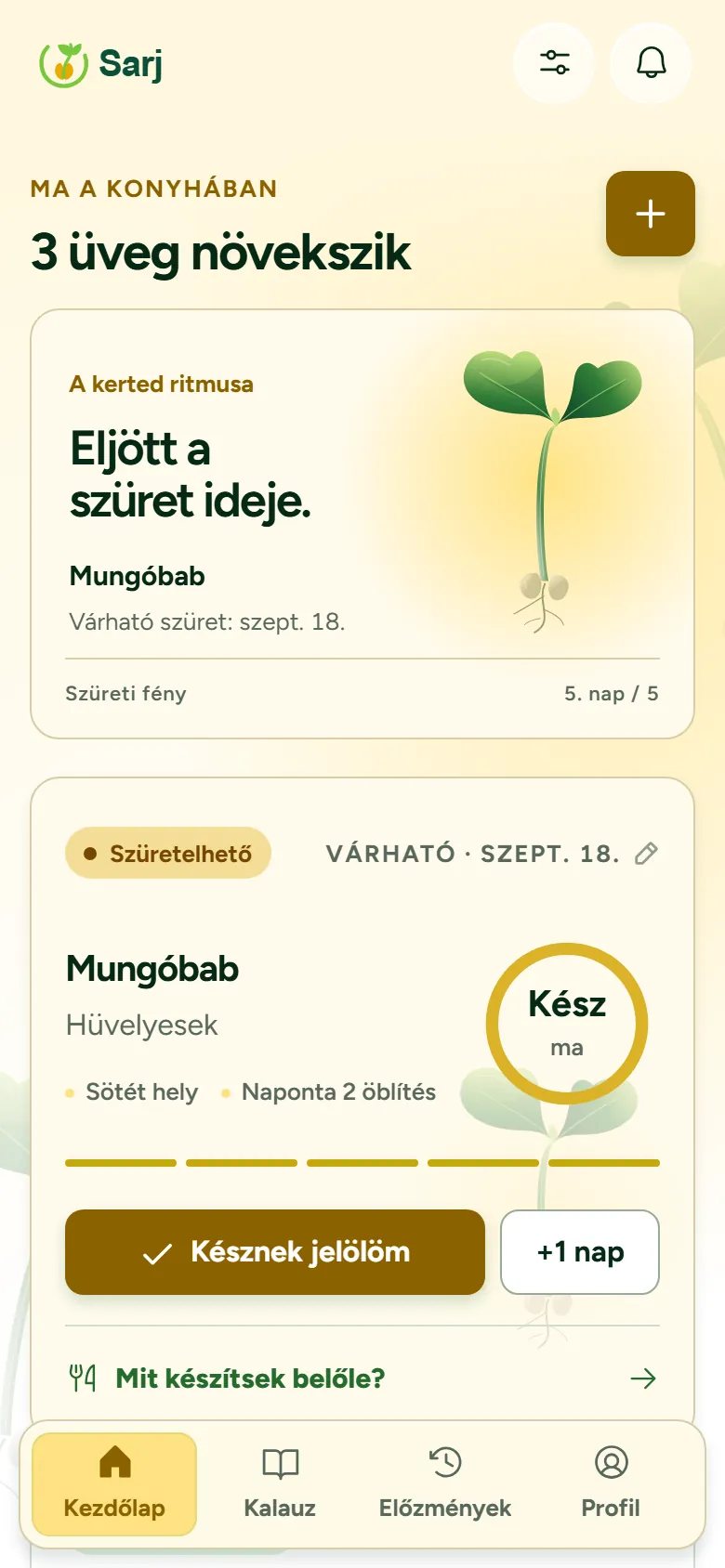
Sarj is a sprouting tracker built for people running several jars at once, so nothing slips through the cracks. The interface itself changes colour and mood as harvest gets closer, taking its cue from whichever jar is nearest to being ready.
- Role
- Product design & development
- Year
- 2026
- Platform
- Web app (PWA), Hungarian-only interface
- Status
- Live, ongoing own product
01 / THE PROBLEM
Which Jar, Which Day
Sprouting seeds is simple until four jars are soaking, rinsing and draining on four different schedules. Start dates blur together, and 'is this one ready yet' turns into a small daily puzzle instead of a five-second glance.
Sarj ties timing to each jar individually and rolls it up into one screen: ready today, ready tomorrow, still growing. The tracking work moves off memory and onto the app, where it belongs.
02 / THE INTERFACE
An App That Grows
Every jar's start and expected harvest date convert into a single maturity value between 0 and 1. The app reads whichever jar needs attention first: the one ready today, or if none is, the next one due, and lets that value lead the whole screen.
Colour drifts through five moods rather than switching between them, Ébredés, Frissesség, Növekedés, Kiteljesedés, Szüreti fény, easing from cool teal-green toward warm harvest gold, with the leaves always staying green. Two of the four colour thresholds sit inside the final 30% of the cycle, so the shift visibly speeds up as harvest gets close. The screen changes most in the days when you should be paying attention.
- 01
Continuous, not stepped
Colour blends between five moods instead of jumping between fixed states, so one day never looks abruptly different from the next.
- 02
One glance, no dashboard
The colour mood tells you how close the next harvest is before you've read a single label. Status lives in the periphery, not a chart.
- 03
Faster near the finish
Two of the four colour thresholds sit in the last 30% of the cycle, so visual change accelerates as harvest approaches.
- 04
Off by choice
Settings → Megjelenés lets anyone turn the dynamic look off, pick light, dark or system, or switch to high contrast, which drops the background entirely.
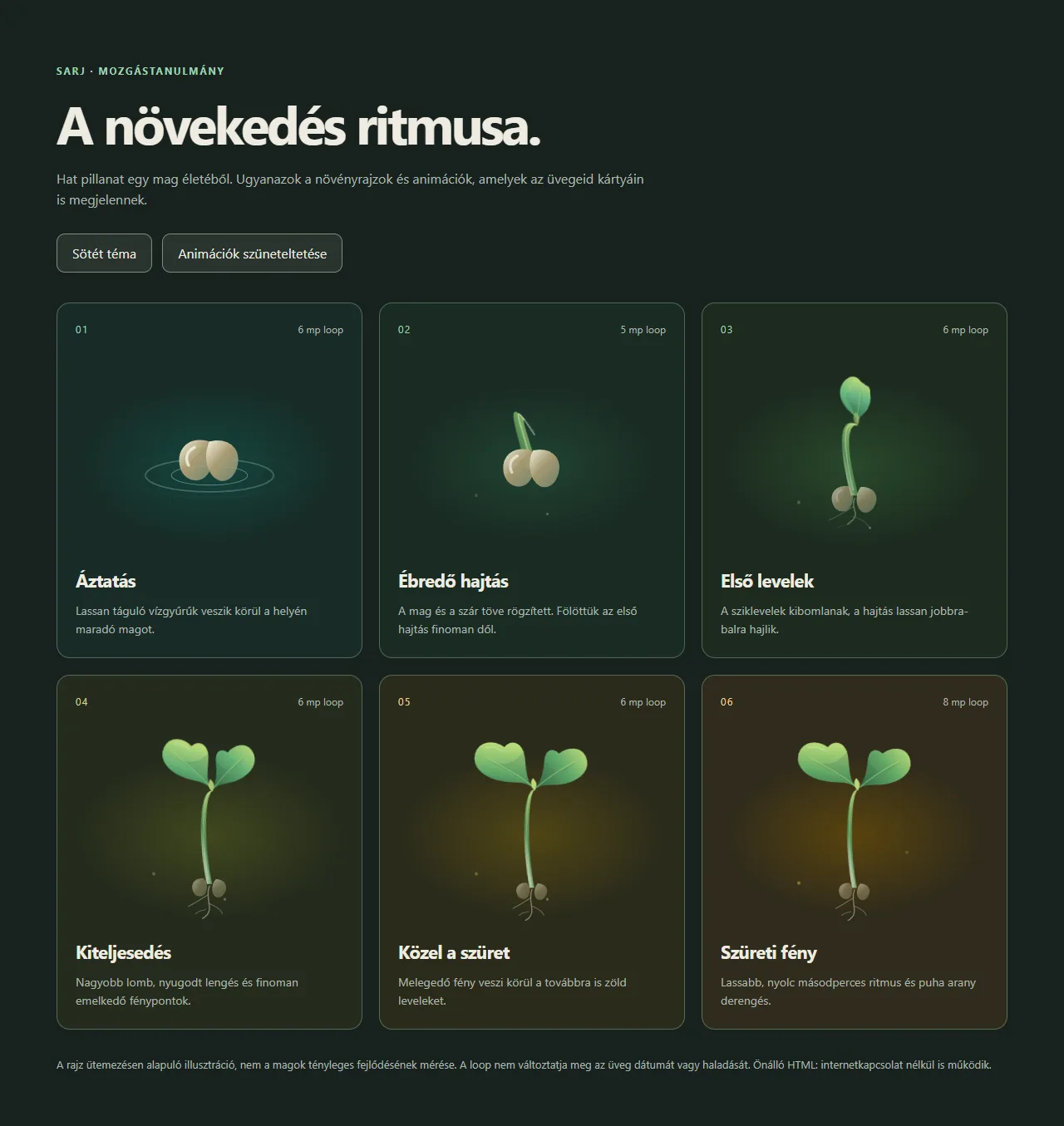
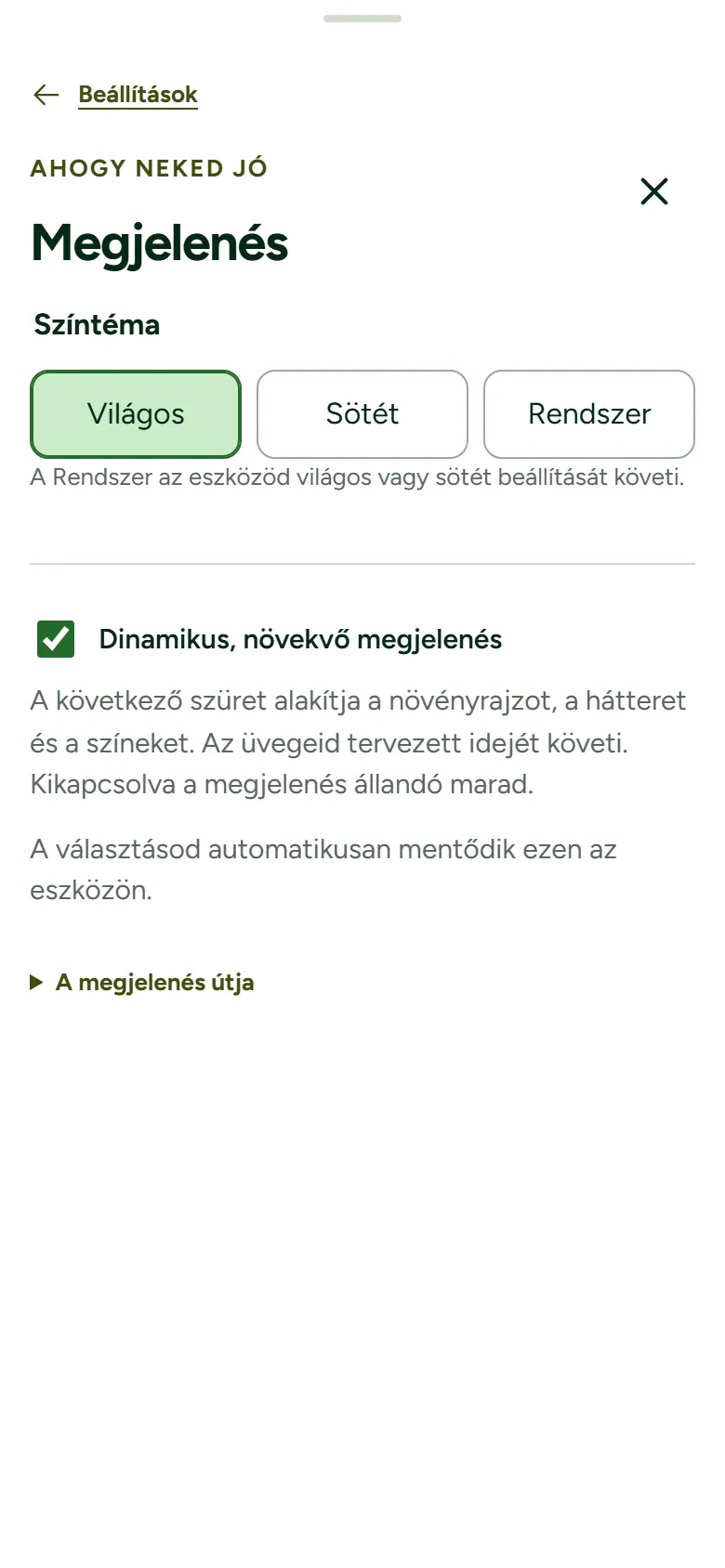
The growth stages are a schedule-based illustration, not a biological measurement of the actual sprouts in the jar.
03 / THE PHONE
Built for the Kitchen Counter
Sarj gets used in short bursts at the kitchen counter, often with wet hands, so everything sits within thumb reach. Four tabs (Kezdőlap, Kalauz, Előzmények, Profil) stay fixed at the bottom, a new jar opens as a bottom sheet instead of a new page, and marking a jar done or adding a day is a single tap with undo built in.
- 01
Thumb-reach navigation
Four bottom tabs keep the app's core sections within reach of a thumb, matching how most people actually hold a phone.
- 02
44 px touch targets
Every tappable control is at least 44×44 px: Apple’s recommended size, and well above the 24 px WCAG 2.2 minimum.
- 03
One-tap actions
Késznek jelölöm (with undo) and +1 nap handle the two most common actions without opening a jar's full detail view.
- 04
Works at any width
Tested at 320, 390, 1280 and 1440 px with no horizontal overflow, and installable as a standalone PWA with platform-specific install steps for Chrome, Edge and iOS Safari.
04 / REMINDERS
Reminders That Say What They Can Do
Harvest reminders land the day before and on the day a jar is ready, never before 9:00 Budapest time; several jars due together fold into a single notice instead of three. The aim is to support a routine over weeks: research on habit formation puts automaticity anywhere from 18 to over 250 days depending on the habit (Lally et al., 2010), so a reminder that shows up reliably matters more than a clever one.
Rinse reminders are opt-in and off by default: two windows a day, morning and evening, each staying open for five hours before quietly expiring, and they only fire while a jar is actually growing. Commercial sprout-growing guidance treats regular rinsing as a basic hygiene control point, which is the reasoning behind the reminder, not a claim that missing one is dangerous.
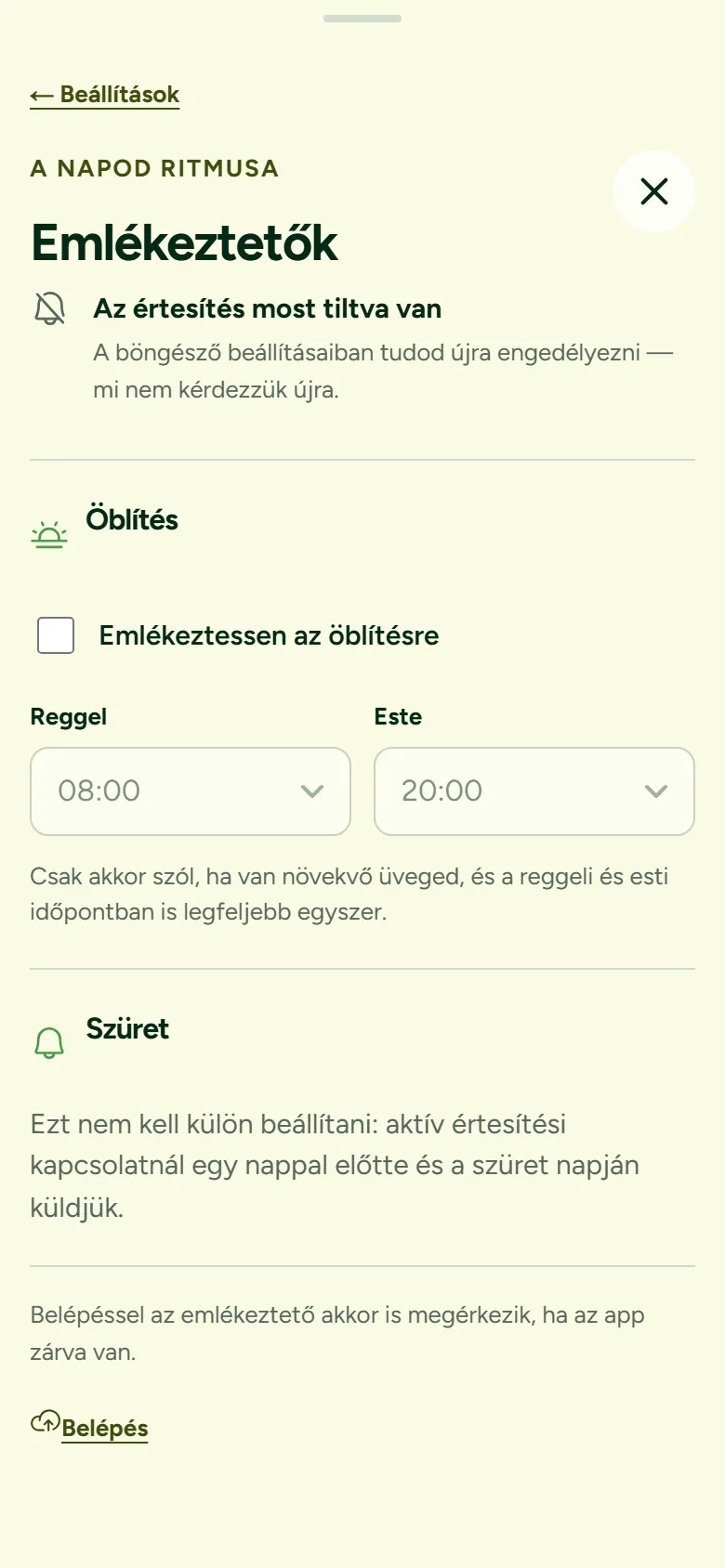
- 01
Timed, not random
Harvest alerts land the day before and on the day, never before 9:00, and combine into one notice when several jars are ready together.
- 02
Rinse reminders, opt-in
Morning and evening rinse windows stay off until turned on, and each slot expires after five hours so it doesn't linger as noise.
- 03
Asked in context
Sarj only asks for notification permission after the first jar is created, once there's something worth being reminded about, not on first load.
- 04
One route per jar
A jar’s reminders come either from the device or from the server, never both, so nothing arrives twice.
Without an account, reminders rely on the app being open, focused, or briefly woken by the browser, so delivery while it's closed can't be guaranteed; with an account, a server sends real push notifications every 10 minutes, though iOS requires adding Sarj to the Home Screen first (iOS 16.4+).
05 / WHY IT'S BUILT THIS WAY
Borrowed Reasoning
None of this is decoration for its own sake. Each choice traces back to a specific, named idea about how people actually look at software.
Visibility of system status
Status is shown continuously rather than on request; the colour mood is the status, always on screen, never a step behind.
Jakob Nielsen, Nielsen Norman Group, 1994(opens in a new tab)Calm technology
The interface is meant to be read peripherally: a glance at the colour shows how close harvest is, without opening a dashboard or reading a number.
Weiser & Brown, 1995; Amber Case, 2015(opens in a new tab)Goal-gradient effect
People act with more energy the closer they get to a goal, so two of Sarj's four colour thresholds sit in the last 30% of the cycle, making the visual change speed up near harvest.
Kivetz, Urminsky & Zheng, 2006(opens in a new tab)Thumb-reach mobile use
Close to half of phone use happens one-handed, so navigation and jar actions sit at the bottom of the screen instead of the top.
Steven Hoober, UXmatters, 2013(opens in a new tab)Minimum touch target size
Every button and tab is at least 44×44 px, matching Apple’s guidance and well past the 24 px WCAG 2.2 minimum.
WCAG 2.2 SC 2.5.8; Apple Human Interface Guidelines(opens in a new tab)In-context permission requests
Sarj asks for notification permission only after the first jar exists, when there's a concrete reason to say yes, instead of on first load.
web.dev, Permission UX(opens in a new tab)
06 / LOCAL-FIRST
Your Jars, Your Device
The core of Sarj works without an account: jars, schedules and history are stored on the device with IndexedDB, and everything keeps working offline. Data can be exported to JSON and imported back in, and import only adds rather than overwriting, so merging two devices doesn't mean picking a loser. An email sign-in with cloud sync is there for anyone who wants it across devices, along with self-service account deletion, but it's opt-in, following the same local-first reasoning that treats the device, not the server, as the primary copy of your data (Kleppmann et al., 2019).
07 / IN NUMBERS
What Shipped
Sarj covers a 28-seed catalog sourced from Legeldle's growing guide, with accent-insensitive search and durations from 2 to 12 days; seed mixes are only suggested when timing and light needs actually line up. History keeps a repeat/restore action for anything grown before, and eleven recipe ideas come with a raw-versus-fully-cooked filter and a food-safety note attached.
- seeds in the catalog
- 28
- growth phases illustrated
- 6
- achievements across 4 tiers
- 17
- automated tests
- 218
There's no usage analytics in Sarj, by design, in keeping with a local-first app that doesn't phone home; this case study reports what was built, not how it's used.
See It Running
Sarj is live and still being built on, one jar at a time.